
What’s new in Next.js 14
Key takeaway
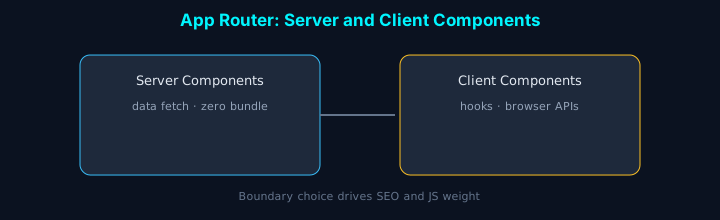
In one line: The practical focus in Next.js 14 is stable Server Actions and boundary design. Where you place RSC vs client components drives bundle size and data-fetching patterns.
Introduction
With Next.js 14, Server Actions stabilized and Partial Prerendering arrived as a technical preview. Here’s what we adopted shipping the itemSCV site on Next.js 14 and what actually helped.
Server Actions (stable)
Server Actions are stable. They let the client call server functions directly—great for forms and mutations with less boilerplate.
Basic usage
Form handling benefits
With Server Actions you often get:
- Loading state via
useFormStatus - Progressive enhancement—forms work without JavaScript
- Type safety end to end
Partial Prerendering (technical preview)
Partial Prerendering splits static and dynamic regions on a page.
How it works
Benefits:
- Faster initial paint
- Efficient streaming for dynamic sections
- SEO-friendly static structure where applicable
Developer experience
Next.js 14 improves DX in several ways.
1. Turbopack
- Faster local dev server startup (~40% in many setups)
- More reliable HMR
- Rust-based compiler performance gains
2. TypeScript
3. Debugging
- Clearer error messages
- Better devtools integration
- Performance metrics visualization
Performance
-
Memory
- Lower peak memory during builds in many apps
- Runtime memory tuning
-
Bundle size
-
Images
Migration guide
Upgrading from Next.js 13 to 14:
-
Dependencies
-
Server Actions (when still behind flags in your version)
-
Codebase review
- Remove deprecated APIs
- Finish App Router migration where applicable
Migration checklist
- Bump Next.js in
package.json - Confirm Server Actions configuration for your version
- Review API Routes (consider Server Actions where it fits)
- Verify image optimization settings
- Measure build and runtime performance
- Fix TypeScript issues
- Run a production build smoke test
Example performance comparison
Illustrative numbers from one internal project:
Build time:
- Next.js 13: ~45s average
- Next.js 14: ~27s average (~40% faster)
Bundle size:
- Next.js 13: 2.3MB
- Next.js 14: 1.9MB (~17% smaller)
Initial load:
- Next.js 13: 1.2s
- Next.js 14: 0.8s (~33% faster)
Conclusion
Next.js 14 pushes Server Actions forward and experiments with Partial Prerendering for faster, more efficient apps—especially when you design server/client boundaries deliberately.
- Stronger developer experience
- Better performance and scalability
- Tighter TypeScript story
- More direct APIs
For many teams it’s a good moment for new projects or a planned upgrade—always validate against your own metrics and constraints.