
SQL JOIN in practice
Key takeaway
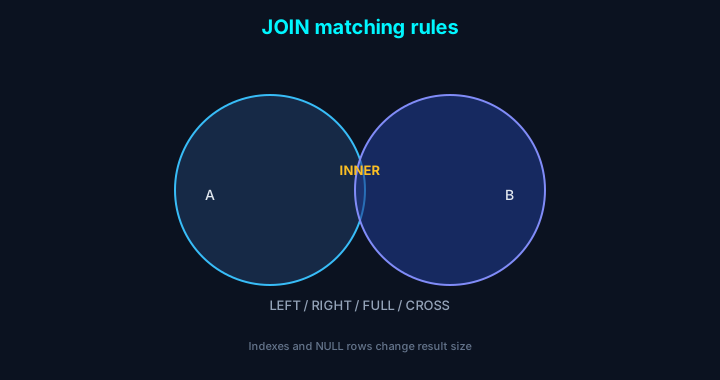
In one line: JOIN aligns two sets on join keys; INNER / LEFT / RIGHT / FULL / CROSS differ in non-matching rows and row explosion patterns. Think indexes and 1:N relationships first.
| Situation | Prefer | Avoid |
|---|---|---|
| Only matched rows on both sides | INNER | Unnecessary LEFT |
| Keep all rows from the “base” table | LEFT or RIGHT | INNER and lose NULL rows |
| Cartesian product is intentional | CROSS | Missing ON by mistake |
Introduction
SQL JOIN is the syntax teams use most, but mixing join types causes wrong results or slow queries. We hit JOIN mistakes and performance issues repeatedly on reward and event data—this collects examples, pitfalls, and optimization notes we actually use.
1. Join types at a glance
| Join type | Behavior |
|---|---|
| INNER JOIN | Rows present in both tables |
| LEFT (OUTER) JOIN | All rows from the left + matching right (NULL if none) |
| RIGHT (OUTER) JOIN | All rows from the right + matching left (NULL if none) |
| FULL OUTER JOIN | All rows from both sides regardless of match |
| CROSS JOIN | Every combination of rows (Cartesian product) |
2. Example tables
3. Queries and results
1) INNER JOIN
Explanation: Only rows that match in both tables.
| name | dept_name |
|---|---|
| Alice | Engineering |
| Bob | Marketing |
2) LEFT JOIN
Explanation: All employees; department NULL if unmatched.
| name | dept_name |
|---|---|
| Alice | Engineering |
| Bob | Marketing |
| Carol | NULL |
3) RIGHT JOIN
Explanation: All departments; employee NULL if no one assigned.
| name | dept_name |
|---|---|
| Alice | Engineering |
| Bob | Marketing |
| NULL | Sales |
4) FULL OUTER JOIN (when supported)
Explanation: Full employee and department sets regardless of match.
| name | dept_name |
|---|---|
| Alice | Engineering |
| Bob | Marketing |
| Carol | NULL |
| NULL | Sales |
5) CROSS JOIN
Explanation: Every employee × every department.
| name | dept_name |
|---|---|
| Alice | Engineering |
| Alice | Marketing |
| Alice | Sales |
| Bob | Engineering |
| Bob | Marketing |
| Bob | Sales |
| Carol | Engineering |
| Carol | Marketing |
| Carol | Sales |
4. Practical checklist
Things to verify whenever you write a JOIN.
- Is the JOIN condition (ON) present and correct?
- Do you handle NULLs from LEFT/RIGHT results?
- Are you avoiding accidental CROSS JOINs?
- Are join columns indexed?
- Did you sanity-check row counts against expectations?
5. Pitfalls and failure modes
Common issues in real projects.
Watch out
- Missing ON can create accidental Cartesian products (hundreds of thousands+ rows).
- Ignoring NULLs from LEFT JOIN skews aggregates and reports.
- Large joins without indexes get slow fast.
- FULL OUTER JOIN support varies—use UNION patterns when needed.
Performance tips
- Index join columns
- Select only needed columns
- Prefer CTEs over nested subqueries when clearer
- Choose a sensible join order for your engine
6. FAQ
Q. LEFT vs RIGHT—when to use which?
Tip: They’re mirrors—put the table you want to preserve entirely on the side that matches LEFT or RIGHT.
Q. What if FULL OUTER JOIN isn’t available?
Q. JOIN is slow—how to optimize?
Tip:
- Index join keys
- Drop unnecessary columns/rows early
- Try CTEs (WITH) instead of deep subqueries
Performance tips in depth
Indexes
EXPLAIN
Subquery vs JOIN
Practical checklist (extended)
- Are join columns indexed?
- Are NULLs handled correctly?
- Could duplicate rows appear (1:N)?
- Are you selecting only what you need?
- Are predicates applied as early as makes sense?
- Did you review the execution plan?
7. References
Go deeper