
React Performance: Profiling, Memoization, and Render Optimization
Key takeaway
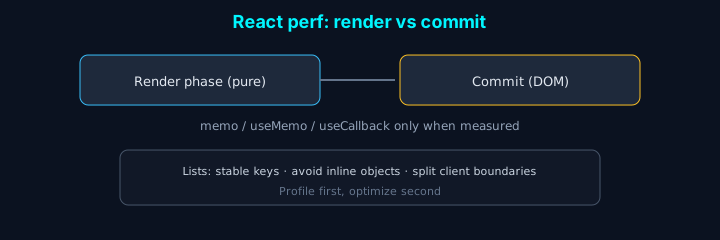
In one line: React performance is measure, then optimize. Separate render from commit; add
memo,useMemo, anduseCallbackonly when profiling shows a real bottleneck.
| Symptom | Look here first |
|---|---|
| Janky list scroll | keys, virtualization, unnecessary parent state |
| Large object every render | stable references, split components |
Introduction
As React apps grow, “clicks feel slow” becomes common. Building dashboards and event pages, we hit re-render and bundle-size issues; this post collects memoization, code splitting, and virtualization patterns we actually use.
Memoizing components with React.memo
React.memo skips re-renders when props are shallow-equal.
Basic usage
Custom comparison
useMemo and useCallback
Memoizing values with useMemo
Memoizing callbacks with useCallback
Code splitting
React.lazy and Suspense
Route-based splitting
Virtualization
For long lists, virtualization cuts DOM work dramatically.
react-window example
Avoiding unnecessary re-renders
Context optimization
Image optimization
Next.js Image
Lazy loading images
Bundle size
Tree shaking
Dynamic import
Profiling and measurement
React DevTools Profiler
Web Vitals
Optimization checklist
-
Components
- Use
React.memowhere props are stable - Use
useMemo/useCallbackdeliberately - Split large components
- Use
-
Code splitting
- Per-route chunks
- Dynamic import for heavy libraries
- Lazy-load conditionally rendered trees
-
Lists
- Virtualize when item count is high (e.g. 100+)
- Stable keys
- Fewer inline functions/objects in hot paths
-
Images
- Modern formats (WebP, AVIF) where supported
- Lazy load below the fold
- Responsive
srcset/ Next Image sizes
-
Bundles
- Verify tree shaking
- Deduplicate dependencies
- Analyze bundle size regularly
Conclusion
- Measure first — find real bottlenecks
- Improve incrementally — avoid premature micro-optimization
- UX over micro-benchmarks — don’t harm clarity without gain
- Maintainability — over-memoization adds complexity
Used thoughtfully, these techniques make apps feel faster and smoother.