
Kubernetes production deployment: a practical guide
Key takeaway
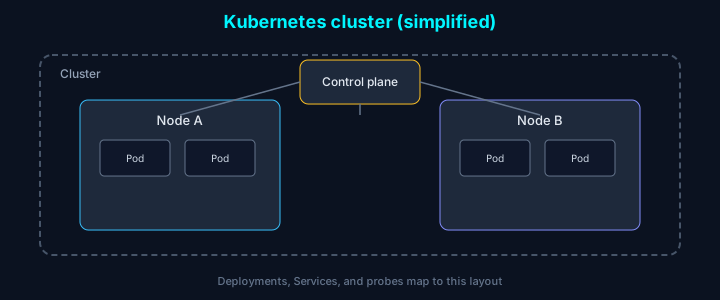
In one line: Kubernetes is an operational model of control plane + nodes + pods. Without probes, resource limits, and rollout strategy aligned in YAML, you get “deploy succeeded but the service is down” on repeat.
| Resource | Role |
|---|---|
| Deployment | Replicas · rolling updates |
| Service | Stable endpoints |
| Ingress | L7 routing · TLS termination |
Introduction
Kubernetes is the de facto standard for container orchestration, but YAML and concepts have a learning curve. Here is how we set requests/limits, health checks, and rollouts in production.
Basic deployment
Deployment
Service
Resource management
Requests and limits
Best practices
- Requests: minimum resources the scheduler guarantees
- Limits: maximum the container may use
- A 1:2 or 1:4 ratio between requests and limits is a common starting point
ResourceQuota
Health checks
Liveness probe
Confirms the app is alive; failures restart the container.
Readiness probe
Confirms the app can accept traffic; failures remove the pod from Service endpoints.
Startup probe
For slow-starting applications.
Autoscaling
Horizontal Pod Autoscaler (HPA)
Vertical Pod Autoscaler (VPA)
Deployment strategies
Rolling update
Blue-green
To cut over to green, change the Service selector.version to green.
Canary
ConfigMap and Secret
ConfigMap
Secret
Network policies
Monitoring and logging
Prometheus scrape annotations
Log collection (Fluentd)
Security best practices
Pod Security Policy (legacy API)
RBAC
Conclusion
For successful Kubernetes production deployments:
- Resource discipline: set requests and limits deliberately
- Probes: use liveness, readiness, and startup probes appropriately
- Autoscaling: HPA and VPA to match load
- Safe rollouts: rolling, blue-green, and canary
- Security: NetworkPolicy, RBAC, and pod hardening
- Observability: metrics and centralized logs
Combining these patterns yields a stable, scalable cluster.